
Craft
A design-focused document and notes app that combines writing, task capture, and daily notes with a built-in AI assistant, including some AI features that run on-device via Apple's Foundation Models.
Visit website (opens in a new tab)Independent editorial listing. Features, pricing, and privacy terms can change; confirm details on the vendor site before buying or rolling out a tool.
What it does
Craft is a notes and documents app built around visual polish — daily notes, tasks, and documents that look more like designed pages than plain text files. Its AI assistant handles drafting, editing, and summarizing inside documents, and Apple Calendar integration surfaces each day’s events directly alongside that day’s note. A notable detail is that some of Craft’s AI features run entirely on-device using Apple’s Foundation Models on supported hardware, meaning certain AI processing happens without an internet connection or cloud round-trip.
Craft trades some power for that polish: its collections are simpler than Notion’s databases, its free plan caps out at 10 documents, and it integrates with fewer external tools than broader workspace platforms. It suits people who want an attractive, calendar-aware notes app inside the Apple ecosystem more than those needing complex relational data structures.
Ideal users
- Users in the Apple ecosystem who want a beautifully designed notes and docs app with calendar and task integration
- People who want AI writing help alongside daily notes and lightweight task management in one visually polished tool
- Individuals who value on-device AI privacy for at least some features, thanks to Apple Foundation Models support
Who should avoid it
- You need Notion-style complex databases and relational views — Craft's collections are simpler and less flexible
- You're not on Apple devices — Craft is most complete and polished within the Apple ecosystem, and some AI features only run on-device on supported Apple hardware
- You need extensive third-party integrations — Craft connects to fewer external tools than Notion or ClickUp
- You want a free, full-featured plan long-term — the free tier caps you at 10 documents and a small AI credit allotment
Key features
- AI writing assistant for drafting, editing, and summarizing inside documents
- Daily Notes with Apple Calendar integration, showing events alongside notes for that day
- Task capture with a dedicated Inbox, target dates, due dates, and reminders
- On-device AI via Apple's Foundation Models on supported hardware, at no extra cost and without an internet connection
- Whiteboards and visually structured documents alongside plain notes
Pros / Cons
Pros
- Distinctive, polished visual design compared to most notes and docs apps
- Combines notes, tasks, and calendar in one place without heavy setup
- On-device AI option via Apple Foundation Models keeps some processing private and free
- Usable free plan for light personal use
Cons
- Free plan is limited to 10 documents and a small monthly AI credit allotment
- Fewer integrations than broader workspace tools like Notion
- Collections/databases are simpler and less powerful than Notion's databases
- Best experience is Apple-centric; cross-platform users may find it less complete
Pricing
Free — $8/month (Plus plan, billed annually; $10/month billed monthly)
Free plan includes 10 documents and 15 AI credits per month. Paid tiers, per Craft's own pricing, are Plus ($8/month billed annually or $10/month billed monthly, 50 AI credits/month), Family ($15/month billed annually or $18/month billed monthly, covering up to 5 members), and Team ($50/month billed annually or $60/month billed monthly, covering up to 10 members), unlocking unlimited documents, the full AI assistant, and 30-day version history.
Typical workflows
- A user's Daily Note automatically shows that day's Apple Calendar events, and creating an event note from the calendar links it directly into the day's note.
- Quick tasks captured while writing a note go into Craft's Inbox, where they get due dates and reminders without switching to a separate task app.
Integrations
- Apple Calendar
- Apple Foundation Models (on-device AI on supported hardware)
- Import from Notion and other notes/docs formats
- iOS, iPadOS, macOS, and web/Windows clients
Privacy & security notes
Craft's integration with Apple's on-device Foundation Models runs certain AI features entirely on-device on supported hardware, without an internet connection or cloud processing, which is a meaningful privacy advantage where available. Other AI features that rely on cloud models should be assumed to send content to Craft's backend and/or its AI provider. Craft's privacy policy states it does not use personal data or user content to train AI models, with one narrow exception: if you voluntarily rate or give feedback on an AI output, Craft may use that feedback to evaluate and improve the service. Data is retained for as long as your account is active, and disconnecting a third-party integration (e.g., Google Calendar) promptly removes its cached data from your workspace.
Frequently asked questions
Does Craft's AI run on-device or in the cloud?
Some features run on-device via Apple's Foundation Models on supported Apple hardware, at no extra cost and without needing an internet connection. Other AI features rely on cloud processing; check current documentation for which is which.
How does Craft compare to Notion for note-taking?
Craft is generally considered more visually polished and simpler to start with, but its collections (database-like views) are less powerful than Notion's, and it connects to fewer external tools.
Is Craft usable for free long-term?
The free plan is capped at 10 documents and a small monthly AI credit allotment, so it suits light personal use rather than heavy ongoing note-taking.
Do I need an Apple device to use Craft?
No — Craft has web and Windows clients, but its most complete experience, including some on-device AI features, is on Apple hardware.
Best alternatives
Notion AI
FreeThe AI features built into Notion, the all-in-one workspace — used for drafting, summarizing, and querying notes and documents inside pages you already keep in Notion.
Reflect
PaidAn AI-powered networked notes app built around backlinking and end-to-end encryption, designed for people who want a private, structured 'second brain' with calendar-aware daily notes.
Related tutorials
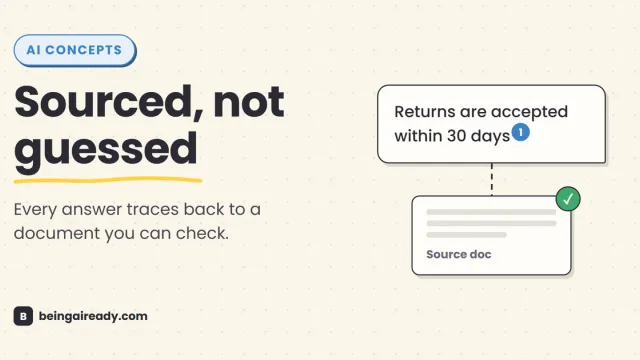
What Is RAG? Retrieval-Augmented Generation in Plain English
RAG is why some AI tools give a straight, sourced answer while others just guess with confidence. Here's what it is and how it works — without the jargon.
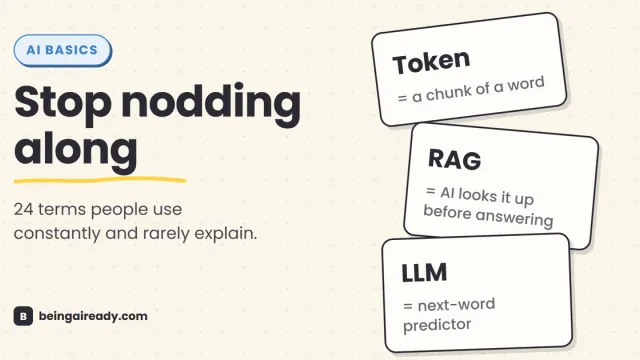
AI Terms Explained: A Plain-English Glossary of 24 Words
The 24 AI terms everyone uses but nobody defines — LLM, tokens, RAG, agents and more — explained in plain English, with analogies that actually stick.