
AI Knowledge Management
Introduction
AI knowledge management tools help a whole organization find information that already exists somewhere but is hard to locate — spread across chat threads, shared drives, tickets, wikis, and a dozen other apps. AI does two things here: it indexes and searches across all those connected systems at once, and it answers questions in plain language so people don't have to know which app or page holds the answer. This page is for teams and companies whose collective knowledge is scattered across many people and tools, not for organizing one person's own notes.
Top recommendations
Glean
PaidAn enterprise AI search and assistant platform that connects to the dozens of apps a company already uses and lets employees search or ask questions across all of them from one place.
Confluence
PaidAtlassian's structured team wiki — pages and spaces for company documentation — now with Atlassian Intelligence and the Rovo AI assistant built in for search, summarization, and chat across your content.
Comparison
| Tool | Best for | Pricing |
|---|---|---|
| Glean | Mid-size and large organizations whose information is scattered across many separate SaaS apps and internal systems | Custom / contact sales |
| Confluence | Teams already using Jira or other Atlassian products who want their documentation and AI search in the same ecosystem | $5.42/user/month (Standard, billed annually); Premium is $10.44/user/month billed annually. A free plan covers up to 10 users, and Enterprise is custom-priced. Atlassian Intelligence and Rovo are included at no extra cost starting on the Standard plan (not on Free), with a monthly AI credit allowance that increases on Premium and Enterprise. |
| Guru | Support and sales teams that need quick, verified answers while on a live call or chat, not a long wiki page to read | Custom, quote-based pricing only — Guru's own pricing page lists no public self-serve tier or starting price as of July 2026; some third-party sites cite an older ~$25/user/month self-serve Starter plan, but that is not reflected on Guru's current site. Confirm current pricing directly with Guru's sales team before budgeting. |
| Document360 | SaaS companies and product teams that need a dedicated home for versioned product or technical documentation | Document360 uses fully custom, quote-based pricing as of mid-2026 — its official pricing page lists no public prices for the Professional, Business, or Enterprise tiers. Cost depends on factors like team size, number of knowledge-base projects, languages, and AI usage, so get a current quote at document360.com/pricing. |
| Bloomfire | Sales, marketing, and customer success teams that need to find enablement content quickly across many formats | Custom quote only |
Reviews
Glean
An enterprise AI search and assistant platform that connects to the dozens of apps a company already uses and lets employees search or ask questions across all of them from one place.
Read the full review — Glean →Confluence
Atlassian's structured team wiki — pages and spaces for company documentation — now with Atlassian Intelligence and the Rovo AI assistant built in for search, summarization, and chat across your content.
Read the full review — Confluence →Guru
An AI knowledge platform built on small, verified 'knowledge cards' surfaced through a browser extension and AI search — for support and sales teams needing fast, reliable answers.
Read the full review — Guru →Document360
A documentation and knowledge base platform for versioned technical and product docs — help centers, developer docs, and internal wikis — with AI search and writing built in.
Read the full review — Document360 →Bloomfire
A searchable knowledge hub built for cross-functional and go-to-market teams, indexing mixed-format content — video, slides, and documents — for AI-powered search and generative answers.
Read the full review — Bloomfire →Frequently asked questions
How is this different from AI note-taking apps like Notion AI or Obsidian?
AI note-taking tools (covered in AI Note-Taking) are built around one person's own notes — a personal or small-team second brain for ideas, journaling, and reference material that person writes themselves. The tools on this page are built for organization-wide knowledge: search and Q&A across many people's documents, tickets, chats, and systems, usually with permission controls determining who can see what. They solve a collective problem, not an individual one.
How is this different from AI PDF and document chat tools like ChatPDF or Humata?
PDF and document chat tools (covered in AI PDF & Document Chat) answer questions about a specific, fixed set of files you upload yourself, in a single session or workspace. The tools here are standing systems connected to many live, constantly changing sources — wikis, chat apps, ticketing systems, cloud drives — that keep indexing new content automatically rather than working from a one-time upload.
Do I need one of these if we already use Confluence or a company wiki?
Not necessarily instead of — Confluence itself is one of the tools recommended on this page, now with AI search and Q&A features built in (Atlassian Intelligence and Rovo). If your team already has a well-maintained wiki, adding AI to it may cover your needs. Tools like Glean are more useful when knowledge is scattered across many separate systems rather than consolidated in one wiki.
Are these tools affordable for a small team?
Not usually. Most of this category is priced and packaged for mid-size and larger organizations — per-seat enterprise pricing, custom quotes, and sometimes seat minimums are the norm, and several vendors don't publish prices at all. A small team is often better served by a lightweight wiki tool or by adding AI search within a workspace it already uses rather than adopting a dedicated enterprise knowledge platform.
Is it safe to connect these tools to sensitive internal systems?
It depends on the tool's permission model and your organization's own access controls, not just the AI layer. Reputable enterprise tools in this category are built to be permission-aware — a search result or answer only surfaces content the requesting employee could already access directly — but the details of how that's enforced, what's logged, and whether any content is used to improve the vendor's models vary. Read each tool's privacy notes and confirm current policy directly with the vendor before connecting systems with sensitive data.
How to choose the right AI knowledge management tool
These tools solve the same broad problem in different shapes. Decide which shape fits before comparing vendors:
- A layer over your existing apps, or a place to author knowledge? Some tools connect to the systems you already use and search across them without moving anything; others are a structured wiki or knowledge base your team writes into directly. That’s the fundamental split.
- What kind of knowledge are you managing? Quick verified answers for fast-moving support and sales teams, versioned technical and product documentation, and searchable enablement content across video and slides are different jobs, and tools tend to specialize in one.
- Will it fit what you already run? If your team already has a well-maintained wiki, adding AI search to it may cover the need. A connect-everything search layer earns its place when knowledge is scattered across many separate systems rather than sitting in one.
- How much setup and upkeep does it need? Connecting many systems and keeping them indexed is real, ongoing work, and a wiki needs people to write and curate it. Neither is set-and-forget, so budget for the maintenance, not just the license.
- How is it priced? Nearly everything here is per-seat enterprise pricing, often with custom quotes and seat minimums. Get an all-in estimate for your actual headcount rather than trusting an advertised starting price.
How AI changes finding company knowledge
The old way is asking a coworker, hunting through five different apps, or trusting a wiki nobody has updated in a year. Knowledge that already exists gets re-created and re-explained because no one can find it. AI changes the retrieval: it indexes across many connected systems at once and answers in plain language, so people stop re-asking questions someone already answered and stop needing to know exactly which tool holds the answer.
What it can’t do is know more than what’s written down and connected. It won’t capture the knowledge still in someone’s head, it will answer confidently from an out-of-date page, and the quality of every answer depends on how well the underlying sources are maintained. These tools make existing knowledge findable. They don’t create it or verify that it’s still true.
Why permission-aware access is not optional here
Because these tools index real company information — HR records, legal documents, salary data, unreleased plans — a search result or answer must only ever surface what the person asking is already allowed to see. That property is usually called permission-aware access, and it’s the single most important thing to check, ahead of any feature. A tool that flattens or ignores your existing access controls doesn’t just underperform; it can quietly expose sensitive material to people who were never meant to see it. Confirm exactly how each tool enforces permissions, what it logs, and whether any of your content is used to improve the vendor’s own models before you connect anything sensitive.
Related articles
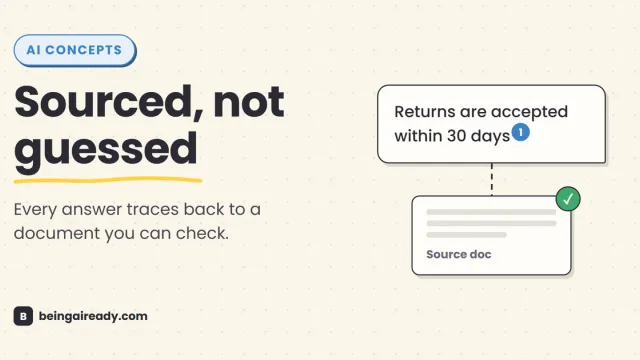
What Is RAG? Retrieval-Augmented Generation in Plain English
RAG is why some AI tools give a straight, sourced answer while others just guess with confidence. Here's what it is and how it works — without the jargon.
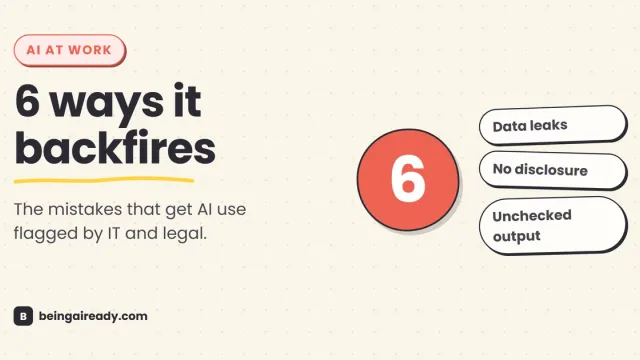
How to Use AI at Work Without Getting Into Trouble
AI at work isn't risky because it's AI — it's risky because most people never learn the six specific ways it backfires. Here's the practical rulebook.