
AI Productivity
Introduction
AI productivity tools take the daily grind of managing your own time — deciding what to work on, fitting it onto a full calendar, protecting focus time from meeting creep, and knowing where your hours went — and hand it to software that acts on your calendar and tasks directly. Instead of re-triaging a to-do list every morning, the tool schedules, defends, or tracks your time continuously, and some learn your habits well enough to adjust on their own. This page is for individuals and small teams with a busy, meeting-heavy calendar and a task list that lives somewhere else.
Top recommendations
Motion
PaidAI scheduling app that takes your tasks and projects and automatically timeblocks them onto your calendar, replanning your day whenever something changes.
Reclaim.ai
FreeAI scheduling assistant for Google Calendar and Outlook that automatically defends focus time, habits, and tasks on your calendar from being crowded out by meetings.
Comparison
| Tool | Best for | Pricing |
|---|---|---|
| Motion | People with a long, shifting task list who want it automatically scheduled rather than manually timeblocked every day | $19/seat/month (Pro AI) |
| Reclaim.ai | Individuals and small teams on Google Calendar or Outlook whose focus time keeps getting eaten by new meeting invites | $10/month (Starter, monthly billing) |
| Akiflow | People whose tasks are scattered across many apps (Asana, Todoist, Jira, Notion, Trello, GitHub, Slack, Gmail) and want one unified daily list | $19/month (Pro, billed yearly) |
| Sunsama | People who want to consciously choose and commit to a realistic day rather than have a calendar auto-fill for them | $17/month (Pro, billed annually) |
| Rize | People who don't actually know where their work day goes and want objective data before trying to fix it | $9.99/month (Basic, individual) |
Reviews
Motion
AI scheduling app that takes your tasks and projects and automatically timeblocks them onto your calendar, replanning your day whenever something changes.
Read the full review — Motion →Reclaim.ai
AI scheduling assistant for Google Calendar and Outlook that automatically defends focus time, habits, and tasks on your calendar from being crowded out by meetings.
Read the full review — Reclaim.ai →Akiflow
Task aggregation and timeblocking app that pulls tasks from 30+ other tools into one prioritized daily list you drag directly onto your calendar.
Read the full review — Akiflow →Sunsama
Daily planning app built around a guided morning-planning and evening-shutdown ritual, pulling tasks from your other tools into one intentional daily view rather than auto-scheduling them.
Read the full review — Sunsama →Rize
Desktop app that automatically and passively tracks how you spend your computer time, using AI to classify work versus non-work activity and score real focus quality — no manual timers.
Read the full review — Rize →Frequently asked questions
How is this different from AI Workflow Automation (ClickUp, Monday.com, Asana, Wrike, Tallyfy)?
AI Workflow Automation covers platforms built around a team's shared projects and tasks — a system of record everyone works inside together. The tools on this page are built around one person's (or a small team's) own calendar and daily time, not a shared project board. Several of them (Akiflow, Motion) actually pull tasks in from tools like Asana or ClickUp rather than replacing them, and turn that pulled-in list into a scheduled day on your own calendar.
Do I need all of these, or should I pick just one?
Just one, in almost every case — they overlap in what they touch (your calendar and tasks) even though their approach differs. Pick based on the specific problem: automatic scheduling (Motion, Akiflow), calendar defense (Reclaim), intentional daily planning (Sunsama), or time-tracking visibility (Rize). Running two calendar-automation tools at once tends to create scheduling conflicts rather than solving more problems.
Will these tools auto-schedule meetings with other people, or just my own tasks?
It depends on the tool. Reclaim and Motion's Business tier both handle team-facing scheduling — finding meeting times across multiple calendars and defending focus time as a group. Akiflow, Sunsama, and Rize are more individually focused: they help you plan and track your own day rather than negotiating time across other people's calendars.
Is it safe to give these tools full access to my calendar?
These tools need real calendar read/write access to work, since they create, move, and delete events on your behalf, so it's worth understanding what each one can do before connecting a work calendar with sensitive meeting details. Check each tool's current privacy and data-handling policy directly, especially for any tool connected to a calendar containing confidential or client-related meetings.
Do any of these work if I don't use Google Calendar?
Most support both Google Calendar and Outlook/Microsoft 365, but coverage of other calendar systems is limited or nonexistent, so confirm your specific calendar platform is supported before subscribing — this matters most for less common setups outside the two major ecosystems.
The different jobs these tools actually do
These aren’t near-identical calendar apps; they follow genuinely different philosophies, and choosing well means matching the tool to what’s broken in your day. Some take your tasks and projects and timeblock them onto your calendar automatically, replanning as things change. Some lead with pulling tasks together from many other apps into one prioritized list you then place on your calendar. Some specialize narrowly in defending focus time from meeting creep.
Others go the opposite direction. A guided daily-planning approach is deliberately manual — a ritual for deciding what matters today and closing the day out, rather than full automation. And time-tracking tools don’t schedule anything at all; they passively record where your hours went and how much was real focus work, which is often the right first step before trying to fix a schedule you don’t yet understand.
How to choose the right AI productivity tool
Start from the specific thing that’s broken, not the feature list:
- What’s actually the problem? Tasks that never make it onto the calendar point to an auto-scheduler; a calendar invaded by meetings points to focus-time defense; no sense of intention points to guided planning; no idea where your time goes points to tracking. Pick the job first.
- Does it connect to your calendar and task tools? Most support the two major calendar ecosystems and a handful of task managers. Confirm your specific stack is covered before subscribing, especially for anything outside the mainstream.
- Just you, or a team? Some handle scheduling across multiple people’s calendars; others are strictly individual. Match this to whether you’re planning your own day or coordinating a group.
- How much automation do you actually want? Fully automatic replanning suits some people and quietly annoys others. If your work doesn’t fit neat blocks, a lighter, more manual tool may stick where an aggressive one won’t.
- What’s behind the paywall? These are mostly subscriptions with thin free tiers, and the meaningful AI usually sits on a paid plan. Price the tier that matches how you’d really use it.
How AI changes managing your time
By hand, you are the scheduler: re-deciding every morning what to work on, blocking time yourself, and manually defending those blocks when a new invite lands on top of them. AI moves that work off your plate. It reads your tasks and calendar and actively places, protects, replans, or measures your time rather than just displaying it back to you, and it keeps doing so as the day changes — the part people are worst at keeping up with.
The trade-offs are real. These tools need read/write access to your calendar to work, which is a genuine trust decision if your meetings carry confidential details, so the privacy terms deserve more than a glance. There’s an adjustment period while any auto-scheduler learns your actual habits. And software can only arrange the time; it can’t make you do the work, and it can’t rescue a calendar that’s simply overcommitted. Optimizing a day that has too much in it just produces a well-organized impossible schedule.
Related articles
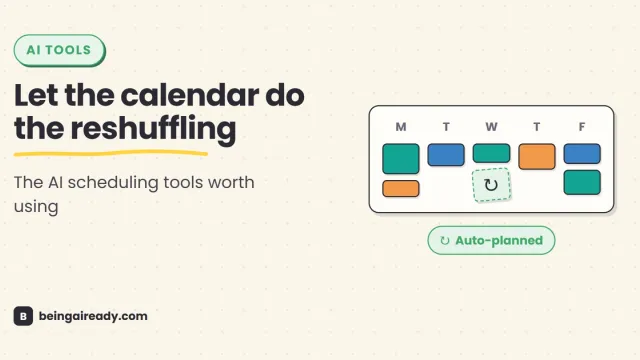
Best AI Scheduling & Calendar Tools in 2026 (Reclaim and Alternatives)
A practical comparison of the best AI scheduling tools and calendar apps in 2026, including Reclaim, Motion, Morgen, Calendly, Akiflow, SkedPal, Trevor AI, and Sunsama.
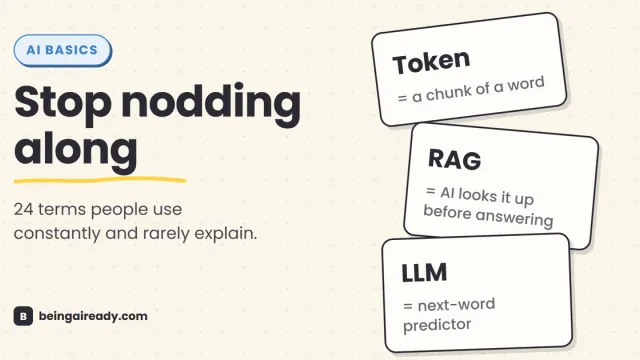
AI Terms Explained: A Plain-English Glossary of 24 Words
The 24 AI terms everyone uses but nobody defines — LLM, tokens, RAG, agents and more — explained in plain English, with analogies that actually stick.