
Notion AI
The AI features built into Notion, the all-in-one workspace — used for drafting, summarizing, and querying notes and documents inside pages you already keep in Notion.
Visit website (opens in a new tab)Independent editorial listing. Features, pricing, and privacy terms can change; confirm details on the vendor site before buying or rolling out a tool.
What it does
Notion AI is not a standalone product — it’s the artificial intelligence layer built into Notion, the docs-and-database workspace many teams already use for wikis, project tracking, and personal notes. Rather than opening a separate app, users get inline writing help, page summarization, and Ask Notion, a workspace-wide question-answering feature that can pull from pages, databases, and connected tools like Slack and Google Drive. Because Notion combines notes with structured databases and project views, its AI has more organizational context to draw on than a plain notes app, at the cost of more setup than a lightweight capture tool.
Notion repackaged its AI pricing in early 2026, moving full AI access — including AI Agents and Ask Notion — behind the Business plan rather than selling it as a low-cost add-on, which is worth checking carefully before assuming a specific price point.
Ideal users
- People and teams who already live in Notion for docs, wikis, and project tracking and want AI layered into that existing workspace rather than a separate app
- Teams wanting a single AI assistant that can search and summarize across pages, databases, and connected tools like Google Drive and Slack
- Users who want note-taking, task tracking, and light project management combined in one tool
Who should avoid it
- You want a lightweight, fast, purely personal notes app — Notion's flexibility comes with more setup and structure than a quick capture tool
- You need full AI access without paying for the Business tier — AI Agents and workspace-wide search require the $20/user/month plan
- You want a local-first or offline-first tool — Notion is cloud-hosted and requires an internet connection for most features
- You need networked, bidirectional-linking note structure as the primary organizing principle — better served by Obsidian, Reflect, or Tana
Key features
- AI writing assistance (drafting, summarizing, translating, tone adjustment) inside any page
- Ask Notion: workspace-wide Q&A across pages, databases, and connected sources like Google Drive and Slack
- AI Agents that can carry out multi-step tasks across a workspace
- Custom Agents (added 2026) for building specialized AI workflows on a metered credit system
- Databases, wikis, and project-tracking views alongside plain notes
- Deep integrations with Slack, Google Drive, and other workplace tools for connected search
Pros / Cons
Pros
- Combines notes, docs, wikis, and project tracking in one place, so AI has more workspace context to draw on
- Ask Notion can answer questions across many pages and connected tools at once, not just a single note
- Widely adopted, so importing from and integrating with other tools is well supported
- Free and Plus tiers exist for people not ready to pay for full AI access
Cons
- Full AI access (Agents, Ask Notion, Custom Agents) requires the Business plan at $20/user/month, not a low-cost add-on
- Custom Agents run on a separate metered credit system on top of seat cost, which can make total spend harder to predict
- More setup and structure overhead than purpose-built quick-capture note apps
- Not local-first — everything lives in Notion's cloud, which matters for privacy-sensitive users
Pricing
Free — $20/user/month (Business plan, billed annually) for full AI access
Confirmed on notion.com/pricing: Notion's paid tiers are Free, Plus (~$10/user/month annually), Business (~$20/user/month annually), and Enterprise (custom). As of mid-2026, Notion AI is no longer sold as a standalone add-on — full AI access (Business-tier features include Notion Agent, AI Meeting Notes, Enterprise Search, and Research Mode) requires Business or Enterprise, though basic AI writing tools exist on Plus. Custom Agents (added 2026) additionally consume metered credits at $10 per 1,000 monthly credits, available on Business and Enterprise only.
Typical workflows
- Teams keep a shared wiki and project docs in Notion, then use Ask Notion to find decisions or specs buried in old pages instead of searching manually.
- Individuals draft meeting notes or project pages as plain text, then use the AI assistant inline to summarize, restructure, or turn rough notes into a clean brief.
Integrations
- Slack
- Google Drive
- Notion Calendar
- Notion Mail
- Zapier and other automation platforms
- API for custom integrations
Privacy & security notes
Confirmed on Notion's AI security and privacy help pages: Notion states it does not use customer content to train its own or third-party models by default, and its AI subprocessors (including OpenAI and Anthropic) are contractually prohibited from training on customer data. For Enterprise workspaces, LLM providers use zero data retention by default; for other plans, providers retain data for 30 days or fewer before deletion. Notion also runs an opt-in 'AI Leap' program, off by default, where customers can voluntarily share workspace data to help improve the product in exchange for early access to new features.
Frequently asked questions
Do I need the Business plan to use Notion AI at all?
No — some basic AI writing features are available on the Plus plan, but full capabilities like Ask Notion workspace search and AI Agents require the Business plan or higher.
Can Notion AI search things outside of Notion itself?
Yes, Ask Notion can query connected sources such as Google Drive and Slack in addition to your Notion pages, though this depends on which connectors your workspace has enabled.
Is Notion a good fit if I just want simple daily notes?
It can work, but its strength is combining notes with databases and project tracking. If you want something lighter and faster for pure note capture, a dedicated notes app may suit better.
Does Notion train its AI models on my content?
Notion states it does not use customer content to train machine learning models and requires the same commitment from its subprocessors, though you should confirm current policy on Notion's own privacy pages.
Best alternatives
Mem
FreeAn AI-native personal knowledge base that automatically organizes notes, meetings, and ideas, and lets you chat with your own notes to retrieve information instead of manually filing or searching for it.
Tana
FreeAn AI-native outliner that turns notes into structured data using 'Supertags,' letting the same note function as a task, a meeting record, or a CRM contact rather than staying plain text.
Related tutorials
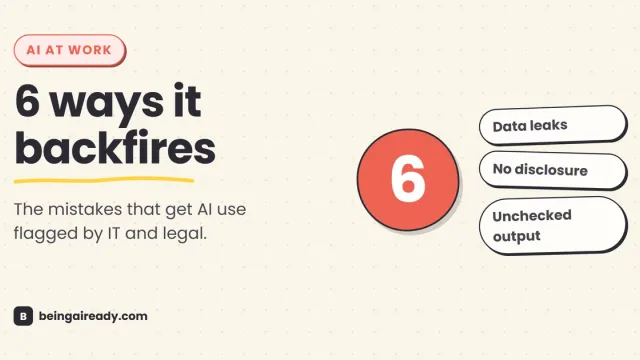
How to Use AI at Work Without Getting Into Trouble
AI at work isn't risky because it's AI — it's risky because most people never learn the six specific ways it backfires. Here's the practical rulebook.
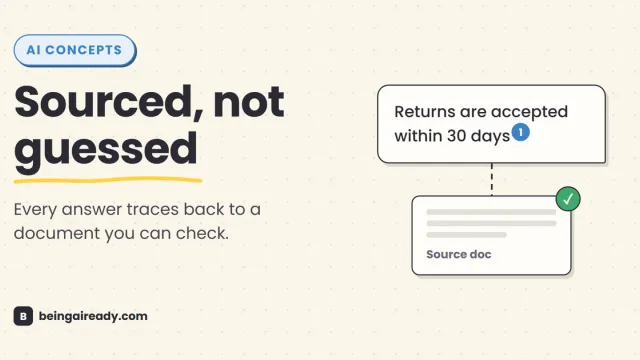
What Is RAG? Retrieval-Augmented Generation in Plain English
RAG is why some AI tools give a straight, sourced answer while others just guess with confidence. Here's what it is and how it works — without the jargon.
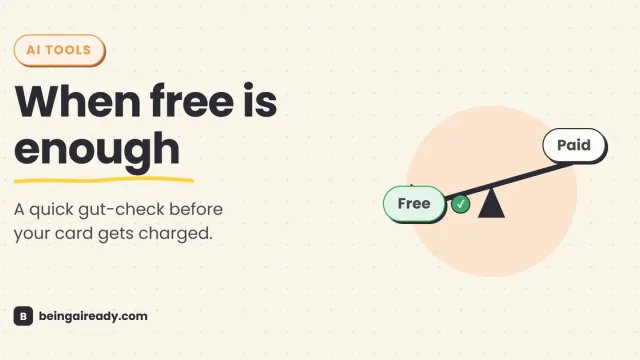
Free vs Paid AI Tools: What's Actually Worth Paying For
Free AI tools do more than ever, but a few paid upgrades quietly pay for themselves. A grounded, no-hype test for knowing which is which, tool by tool.