
Tana
An AI-native outliner that turns notes into structured data using 'Supertags,' letting the same note function as a task, a meeting record, or a CRM contact rather than staying plain text.
Visit website (opens in a new tab)Independent editorial listing. Features, pricing, and privacy terms can change; confirm details on the vendor site before buying or rolling out a tool.
What it does
Tana is an AI-native outliner built around Supertags, a system that lets any note become a structured, typed object — a task with a due date, a meeting with attendees, or a contact in a lightweight personal CRM — without leaving the notes interface. This makes Tana less like a plain notes app and more like a flexible database that happens to be edited as an outline, which appeals to users who want their notes to actually do something rather than just sit as text.
That flexibility comes with a learning curve: Supertags and the outliner model take real time to learn, and every plan — including paid tiers — meters AI features like chat and live meeting transcription through monthly credits rather than offering unlimited use. Tana is best suited to power users willing to invest setup time, rather than someone who wants to open an app and start typing immediately.
Ideal users
- Power users who want notes to double as structured data — tasks, project records, or a lightweight personal CRM — not just plain text
- People who take a lot of meeting notes and want them to automatically build into a searchable, connected knowledge base
- Users comfortable with an outliner-style interface and willing to invest time learning Supertags and templates
Who should avoid it
- You want a simple, low-friction notes app — Tana's structured approach has a steeper learning curve than plain note-taking tools
- You want unlimited AI usage without tracking a credit budget — Tana's AI features (chat, meeting transcription, image generation) are metered by monthly credits on every plan
- You need Slack or Gmail integration — Tana's native integrations currently center on Google Calendar rather than broader workplace tools
- You want a mature, long-established tool — Tana is newer and still evolving quickly compared to Notion or Obsidian
Key features
- Supertags — turn any note into a typed object (task, project, meeting, contact) with its own fields and views
- Outliner-based editing where every line is a node that can be tagged, referenced, and reused
- AI chat, meeting transcription, and image generation, metered via monthly AI credits
- Google Calendar integration that syncs meetings into daily notes and can build a lightweight CRM from recurring contacts
- Custom feeds for surfacing tasks, goals, and delegated items without manual searching
Pros / Cons
Pros
- Supertags let one note structure double as notes, tasks, and database-like records, reducing the need for separate tools
- Live meeting transcription tied directly into the same knowledge base as regular notes
- Free plan includes a real, usable allotment of AI credits rather than a token trial
- Growing power-user community producing templates and workflows
Cons
- Meaningful learning curve — Supertags and the outliner model take longer to learn than plain notes
- AI features are credit-metered on every plan, so heavy meeting or chat use can require upgrading
- Narrower native integrations (primarily Google Calendar) compared to Notion or Mem
- Younger product than most alternatives here, with more risk of rapid feature or pricing changes
Pricing
Free — $8/month (Plus plan, billed annually)
Confirmed on Tana's current pricing page: Free includes 500 monthly AI credits; Plus is $8/month billed annually ($10 month-to-month) with 2,000 credits and Google Calendar sync; Pro is $14/month billed annually ($18 month-to-month) with 5,000 credits plus deeper integrations like Readwise and Input API access.
Typical workflows
- During a meeting, Tana transcribes live and tags action items and attendees as structured nodes, which then feed into project or CRM-style views automatically.
- A user tags a note with a 'Project' Supertag, giving it fields like status and due date, so the same note behaves like a lightweight database record without leaving the notes app.
Integrations
- Google Calendar
- API and community-built connectors
Privacy & security notes
Tana's privacy policy states it does not use User Content — including notes and meeting transcripts — to train, improve, or develop AI models unless it notifies users in advance and provides an opt-out, and this restriction extends contractually to its AI subprocessors.
Frequently asked questions
What are Supertags in Tana?
Supertags let you turn any note into a typed object, such as a task, project, or contact, giving it structured fields and views while it still lives in your regular notes.
Is Tana's AI usage unlimited on paid plans?
No — every plan, including paid tiers, meters AI features like chat, transcription, and image generation through a monthly credit allotment rather than offering unlimited use.
How steep is the learning curve compared to a normal notes app?
Noticeably steeper — Tana's outliner and Supertag system reward the time invested in learning them, but a plain note-taking app will feel simpler out of the box.
Does Tana integrate with Slack or Gmail?
Not natively as of 2026 — its primary native integration is Google Calendar, so teams relying heavily on Slack or Gmail workflows should check current integration support before switching.
Best alternatives
Mem
FreeAn AI-native personal knowledge base that automatically organizes notes, meetings, and ideas, and lets you chat with your own notes to retrieve information instead of manually filing or searching for it.
Notion AI
FreeThe AI features built into Notion, the all-in-one workspace — used for drafting, summarizing, and querying notes and documents inside pages you already keep in Notion.
Related tutorials
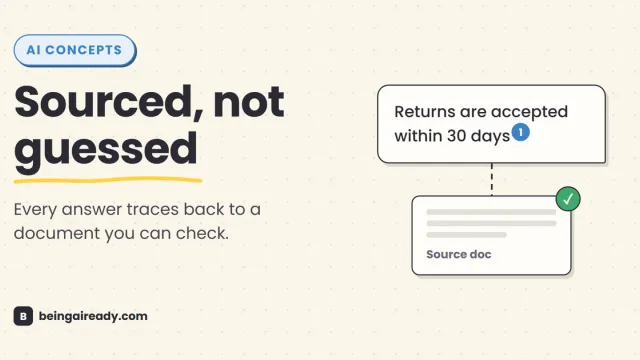
What Is RAG? Retrieval-Augmented Generation in Plain English
RAG is why some AI tools give a straight, sourced answer while others just guess with confidence. Here's what it is and how it works — without the jargon.
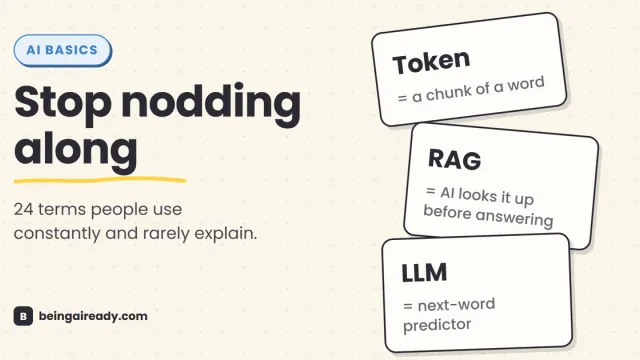
AI Terms Explained: A Plain-English Glossary of 24 Words
The 24 AI terms everyone uses but nobody defines — LLM, tokens, RAG, agents and more — explained in plain English, with analogies that actually stick.