
Glean
An enterprise AI search and assistant platform that connects to the dozens of apps a company already uses and lets employees search or ask questions across all of them from one place.
Visit website (opens in a new tab)Independent editorial listing. Features, pricing, and privacy terms can change; confirm details on the vendor site before buying or rolling out a tool.
What it does
Glean is an enterprise AI search and assistant platform built for organizations where useful information is scattered across dozens of disconnected apps — Slack, Google Drive, Jira, Salesforce, internal wikis, and more. Instead of requiring employees to know which specific tool holds the answer, Glean indexes content across all connected systems and lets people search or ask questions from one place, with results filtered by what each employee is already permitted to see. It also supports building custom AI agents on top of that same indexed knowledge, positioning it as infrastructure for workplace AI rather than a single-purpose search box.
Ideal users
- Mid-size and large organizations whose information is scattered across many separate SaaS apps and internal systems
- IT and knowledge-management teams looking for one search layer instead of asking employees to search each app individually
- Companies that want AI answers grounded in existing company content with permission-aware access controls
- Teams building internal AI agents that need governed access to company knowledge
Who should avoid it
- You're a small team without dozens of disconnected tools to search across — the cost and setup overhead won't pay off
- You want a place to write and structure new knowledge, not just search existing content — see Confluence or Guru instead
- Budget is a primary constraint — this is priced and packaged for enterprise deployments, not self-serve small-team use
- You need a lightweight, quick-to-launch tool rather than an implementation involving connector setup and indexing
Key features
- Enterprise search across 100+ connected apps and data sources
- Conversational AI assistant that answers questions with citations pulled from indexed company content
- Permission-aware results — employees only see what they're already authorized to access
- Support for building and running custom AI agents on top of indexed company knowledge
- Personal and enterprise "knowledge graph" that factors in role, team, and past activity for relevance
- Connectors for major workplace tools including Slack, Google Workspace, Microsoft 365, Jira, Confluence, GitHub, and Salesforce
Pros / Cons
Pros
- Searches across many disconnected systems at once instead of requiring employees to know which app holds the answer
- Strong emphasis on permission-aware access rather than a flat, everyone-sees-everything index
- Broad connector library covering most common enterprise software
- Answers include citations back to the original source document or message
- Compliance certifications relevant to regulated industries (SOC 2 Type II, ISO 27001, HIPAA, GDPR)
Cons
- Pricing is not public and generally requires an enterprise sales process and contract
- Third-party reports describe meaningful minimum seat counts and annual contract values, making it a poor fit for small teams
- Value depends heavily on how many systems you connect and how well they're indexed — setup and integration work is non-trivial
- It's a search and assistant layer, not a place to author or structure new documentation from scratch
Pricing
Paid — Custom / contact sales
Glean does not publish pricing on its own site — its pricing page only offers a "Get a Demo" option. Third-party resellers and analyst sources report a combined per-seat search license plus AI add-on in the rough range of $45–75/user/month, often with contracts starting near a 100-seat (roughly $60,000/year) minimum, but these figures are not confirmed by Glean directly and should be checked with Glean sales before budgeting.
Typical workflows
- An employee asks Glean's assistant a question like "what was decided in last week's roadmap review?" and gets a synthesized answer pulled from Slack threads, a Google Doc, and meeting notes, with links back to each source.
- An IT team connects Glean to the company's core SaaS stack once, replacing a habit of employees pinging coworkers or searching five different tools to find the same internal policy or past decision.
Integrations
- Slack
- Google Workspace
- Microsoft 365
- Jira and Confluence
- GitHub
- Salesforce
- ServiceNow, Zendesk, ServiceNow, Box, Dropbox, Notion, HubSpot, SharePoint, and Workday (per Glean's published connector list)
Privacy & security notes
Glean markets itself as permission-aware, meaning search results and AI answers are filtered to what the requesting employee could already access directly, and it lists SOC 2 Type II, ISO 27001, ISO 42001, HIPAA, GDPR, and TX-RAMP Level 2 among its compliance certifications. Glean states it maintains zero-retention agreements with its model providers, so indexed customer content is not stored or used to train underlying AI models; confirm specific internal data-retention timelines with Glean's Trust Center or account team before connecting systems containing sensitive data.
Frequently asked questions
Does Glean replace tools like Confluence or Slack?
No. Glean is a search and assistant layer that sits on top of the tools you already use — it doesn't replace them. It's most useful when knowledge is spread across many separate systems rather than consolidated in one place.
Can Glean see everything in every connected app?
Glean is designed to be permission-aware, meaning an employee's search results and AI answers are limited to content they could already access in the source system. Confirm the specifics of how this is enforced for your systems before rollout.
Is there a self-serve or free way to try Glean?
No. Glean's pricing page directs prospective customers to request a demo rather than offering public self-serve signup or a published free tier.
How is Glean different from a standard enterprise search tool?
Beyond keyword search, Glean adds a conversational AI assistant that synthesizes answers across sources with citations, and supports building custom AI agents on top of the same indexed, permission-aware knowledge layer.
Best alternatives
Confluence
PaidAtlassian's structured team wiki — pages and spaces for company documentation — now with Atlassian Intelligence and the Rovo AI assistant built in for search, summarization, and chat across your content.
Guru
PaidAn AI knowledge platform built on small, verified 'knowledge cards' surfaced through a browser extension and AI search — for support and sales teams needing fast, reliable answers.
Related tutorials
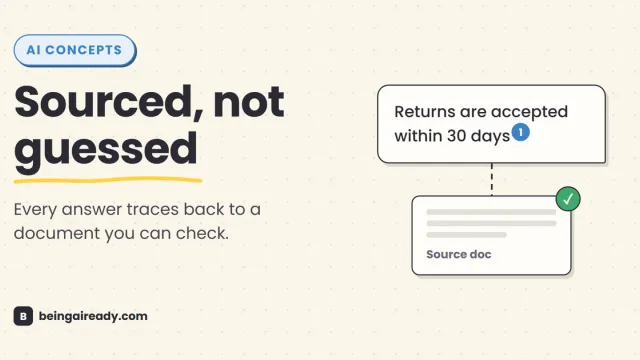
What Is RAG? Retrieval-Augmented Generation in Plain English
RAG is why some AI tools give a straight, sourced answer while others just guess with confidence. Here's what it is and how it works — without the jargon.