
Asana
A work management platform popular with marketing, creative, and ops teams, built around AI Studio for no-code workflows and prebuilt AI Teammates for status reporting and more.
Visit website (opens in a new tab)Independent editorial listing. Features, pricing, and privacy terms can change; confirm details on the vendor site before buying or rolling out a tool.
What it does
Asana is a work management platform widely used by marketing, creative, and operations teams to plan projects, track tasks, and report on progress across portfolios and goals. Its AI layer centers on two related but distinct products: AI Studio, a no-code builder for combining plain-language instructions with Asana’s rules engine into repeatable workflows, and AI Teammates, a growing roster of prebuilt AI agents — a Status Reporter, Workflow Optimizer, Compliance Specialist, and others — each built for a specific, ongoing job rather than acting as one generic assistant.
Where Asana differentiates itself from ClickUp’s model-agnostic Brain or Monday.com’s board-native Sidekick is specificity: rather than one AI you talk to about anything, Asana leans toward named agents with defined scopes, plus an AI-assisted project status update that drafts a plain-English progress summary from a project’s actual task history, comments, and attachments. That specificity comes at the cost of pricing transparency for AI Teammates, which remain a custom-quoted add-on rather than a published price.
Ideal users
- Marketing, creative, and operations teams that want polished, prebuilt AI teammates for specific jobs rather than building custom automations
- Teams that want an AI-drafted project status update pulled from real task history instead of writing one manually each week
- Organizations that want a no-code way (AI Studio) to combine plain-language instructions with a rules engine for repeatable workflows
- Teams already comfortable with Asana's portfolio, goals, and reporting structure who want to layer AI on top of it
Who should avoid it
- You need the deepest structural customization — ClickUp and Wrike generally offer more configuration depth
- You want AI Teammates without a custom, contact-sales conversation — pricing for AI Teammates isn't public
- Your team is a very small group where the free Personal plan's 2-user cap already rules Asana out
Key features
- AI Studio, a no-code builder for smart workflows that combine large-language-model reasoning with Asana's rules engine
- AI Teammates, prebuilt agents for specific roles — including a Status Reporter, Workflow Optimizer, Compliance Specialist, Campaign Brief Writer, Bug Investigator, and Sprint Coach — that can be assigned defined, ongoing jobs
- AI-assisted Project Status updates that scan a project's full history — tasks, comments, dependencies, attachments — and draft a plain-English summary of progress and what happened recently
- "Use AI" variables inside standard Asana rules for lighter-weight, single-step AI actions without building a full AI Studio workflow
- Reporting dashboards and portfolio-level goal tracking that AI-generated summaries pull from
Pros / Cons
Pros
- AI Teammates are unusually well-defined for specific jobs rather than a single generic assistant
- AI-drafted status updates are grounded in actual project activity, not a generic template
- AI Studio's combination of natural language and a rules engine is more approachable to non-developers than a full automation platform
- Included AI Studio credit allowance scales with plan tier rather than being all-or-nothing
Cons
- AI Teammates pricing is not public — it requires contacting sales even to estimate cost
- Free Personal plan is capped at 2 users, so most real teams start on a paid tier immediately
- Heavier AI Studio usage (Plus or Pro tiers) adds meaningful cost on top of the base per-seat plan
- Less structural flexibility for atypical processes compared with ClickUp or Wrike
Pricing
Free — $10.99/user/month (Starter plan, billed annually)
Base per-seat pricing (mid-2026): Personal is free for up to 2 users; Starter is $10.99/user/month billed annually ($13.49 month-to-month); Advanced is $24.99/user/month billed annually ($30.49 month-to-month); Enterprise and Enterprise+ are custom-priced. AI Studio Basic access is included with a monthly credit allowance that scales by tier (roughly 50,000 credits on Starter, 75,000 on Advanced, 200,000 on Enterprise), with paid AI Studio Plus and Pro tiers available for heavier usage. AI Teammates are available as an add-on from Starter up but are custom-priced — you need to contact Asana sales for a quote. Re-verify current credit allowances and AI Teammates pricing directly with Asana, as both have shifted since AI Studio's introduction.
Typical workflows
- A creative operations team assigns an AI Teammate like the Status Reporter to compile a weekly client-facing update from a shared project's task activity, comments, and attachments, cutting out the hour or two a coordinator used to spend writing it by hand.
- An ops team builds an AI Studio workflow that reads incoming intake-form submissions in plain language, classifies the request type, and routes it to the right queue using Asana's rules engine — without anyone writing custom code.
Integrations
- Slack, Microsoft Teams, and Zoom
- Salesforce, Tableau, and Power BI (Advanced plan and above)
- Google Workspace and Microsoft 365
- Zapier and Make for connecting to systems outside Asana
Frequently asked questions
What's the difference between AI Studio and AI Teammates?
AI Studio is a no-code builder for creating your own AI-powered workflows by combining plain-language instructions with Asana's rules engine. AI Teammates are prebuilt, named AI agents — like a Status Reporter or Compliance Specialist — designed for a specific recurring job that you assign work to directly, similar to a team member, rather than something you configure step by step.
How much do AI Teammates cost?
Asana doesn't publish AI Teammates pricing; it's sold as a custom-quoted add-on to Starter, Advanced, Enterprise, or Enterprise+ plans, so you need to contact sales for a specific number.
Is the AI-generated status update reliable enough to send to a client without editing?
It's a strong first draft grounded in real project data — completed tasks, comments, dependencies, and attachments — but Asana positions it as a starting point that saves the bulk of the writing time, not a finished, unreviewed output; most teams still skim and adjust before sending it externally.
Can I use AI features on Asana's free Personal plan?
No. AI Studio and AI Teammates require at least the Starter paid plan; the free Personal plan (capped at 2 users) does not include them.
Best alternatives
ClickUp
FreeAn all-in-one work management platform — tasks, docs, chat, and dashboards in one workspace — with Brain 2, an AI layer adding memory, model routing, and reporting agents.
Monday.com
FreeA highly visual, no-code work management platform built around boards, with an AI layer — Sidekick, AI agents, and the Vibe app builder — priced through a seat-plus-credit model since May 2026.
Related tutorials
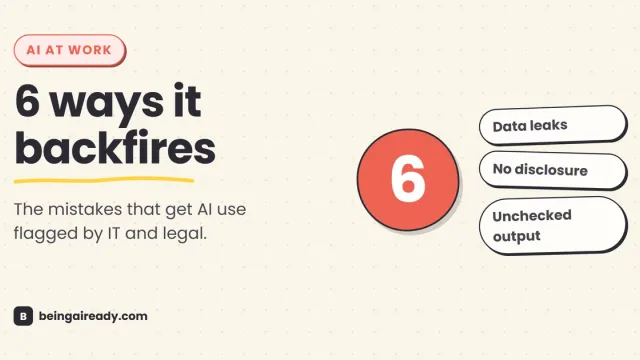
How to Use AI at Work Without Getting Into Trouble
AI at work isn't risky because it's AI — it's risky because most people never learn the six specific ways it backfires. Here's the practical rulebook.