
Rize
Desktop app that automatically and passively tracks how you spend your computer time, using AI to classify work versus non-work activity and score real focus quality — no manual timers.
Visit website (opens in a new tab)Independent editorial listing. Features, pricing, and privacy terms can change; confirm details on the vendor site before buying or rolling out a tool.
What it does
Rize takes a different approach from every other tool in this category: instead of scheduling or planning your day, it passively watches how you actually spend it. Running in the background on Mac or Windows, it automatically tracks active windows, applications, and websites, and uses AI to classify that activity into work and non-work time, distinguishing genuine deep-focus blocks from shallow work and meetings. The result is a daily focus score and time breakdown with no manual timers required — useful as an honest first look at where your time actually goes before trying to fix it with a scheduling tool.
Ideal users
- People who don't actually know where their work day goes and want objective data before trying to fix it
- Anyone who has tried manual time trackers and abandoned them because starting and stopping timers is tedious
- Individuals or teams wanting a daily focus score that goes beyond raw hours logged
Who should avoid it
- You want a tool that also schedules or plans your day — Rize only tracks and reports on time already spent, it doesn't schedule anything
- You need tracking across mobile or non-desktop work — Rize is desktop-focused (Mac and Windows) by design
- You're uncomfortable with continuous background monitoring of your computer activity, even if processed automatically
Key features
- Fully automatic time tracking with no manual timers or entries required
- AI classification of active windows, applications, and websites into work versus non-work time
- Automatic focus detection distinguishing deep focus blocks from shallow work and meeting time
- Intelligent distraction blocking during focus sessions
- Daily focus score summarizing time quality, not just quantity
- AI tool-usage tracking and team time visibility (higher tiers)
Pros / Cons
Pros
- Fully passive — nothing to remember to start or stop, which solves the main reason people abandon manual time trackers
- Focus scoring gives a qualitative read on time (deep work vs. shallow work vs. meetings), not just a raw hours total
- Useful as a diagnostic first step before adopting a scheduling tool, since it shows where time is actually going
- Distraction-blocking during focus sessions adds an active nudge, not just passive reporting
Cons
- Desktop-only by design — doesn't track mobile work or time away from the computer
- Purely a tracking and reporting tool — pair it with a scheduler like Motion or Reclaim if you also want automated planning
- No permanent free tier, only a 7-day trial
- Continuous background activity monitoring, even though AI-processed and summarized, won't suit everyone's comfort level
Pricing
Paid — $9.99/month (Basic, individual)
Confirmed on rize.io/pricing (mid-2026): individual plans are Basic at $9.99/month billed annually ($12.99/month billed monthly) with automatic tracking, AI categorization, and focus detection; Pro at $28.99/month adding AI productivity insights, scheduled reports, and API/Zapier access; and Business at $49.99/month adding an AI efficiency dashboard, advanced AI insights, and MCP server access. Team plans start at $20/seat/month (Startup, 2-seat minimum), with a Growth tier at $29.99/seat/month adding advanced AI models, MCP server access, and custom integrations. A 7-day free trial is available with no credit card required; no permanent free tier.
Typical workflows
- A remote worker installs Rize and, after a week of passive tracking, reviews their daily focus scores to discover meetings are consuming far more of their peak-energy hours than they realized, then restructures their calendar accordingly.
- A manager reviews aggregated team time visibility (Growth tier) to understand where the team collectively spends deep-focus time versus meeting time, without asking anyone to self-report.
Integrations
- Calendar connections for correlating tracked time with scheduled events
- MCP server access and custom integrations (Growth tier)
Privacy & security notes
Rize tracks active windows, applications, and websites directly on-device to classify work versus non-work time; because this involves continuous activity monitoring, review the vendor's current data-handling and retention policy directly on rize.io before installing it on a machine used for sensitive or confidential work.
Frequently asked questions
Does Rize schedule my calendar or tasks, like Motion or Reclaim?
No — Rize is purely a time-tracking and focus-analytics tool. It reports on how you already spent your time; it doesn't create, move, or schedule calendar events or tasks. Pair it with a scheduling tool if you also want automated planning.
How is this different from a manual time tracker?
Rize requires no manual timers or entries — it automatically monitors active windows and applications in the background and uses AI to classify the activity, which is its main differentiator from traditional time-tracking apps that depend on you remembering to start and stop a timer.
Does Rize work on mobile devices?
No — it's a desktop app for Mac and Windows by design, since most knowledge work happens on a computer; it doesn't track mobile activity.
Best alternatives
Sunsama
PaidDaily planning app built around a guided morning-planning and evening-shutdown ritual, pulling tasks from your other tools into one intentional daily view rather than auto-scheduling them.
Reclaim.ai
FreeAI scheduling assistant for Google Calendar and Outlook that automatically defends focus time, habits, and tasks on your calendar from being crowded out by meetings.
Related tutorials
Best AI Scheduling & Calendar Tools in 2026 (Reclaim and Alternatives)
A practical comparison of the best AI scheduling tools and calendar apps in 2026, including Reclaim, Motion, Morgen, Calendly, Akiflow, SkedPal, Trevor AI, and Sunsama.
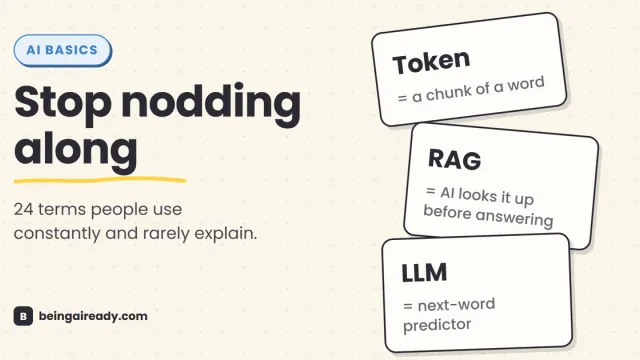
AI Terms Explained: A Plain-English Glossary of 24 Words
The 24 AI terms everyone uses but nobody defines — LLM, tokens, RAG, agents and more — explained in plain English, with analogies that actually stick.