
Humata
A team-oriented AI document chat tool built around shared knowledge bases, security controls, and citation-backed Q&A across multiple files.
Visit website (opens in a new tab)Independent editorial listing. Features, pricing, and privacy terms can change; confirm details on the vendor site before buying or rolling out a tool.
What it does
Humata is built for situations where a single document isn’t the whole picture — teams and researchers working across a shared set of files, needing search and Q&A across all of them at once rather than one conversation per document. Its emphasis on role-based access, encryption, and team workspaces sets it apart from single-user tools like ChatPDF, at the cost of a smaller free tier for casual, occasional use.
Ideal users
- Teams that want a shared document knowledge base with multi-file Q&A, not just single-document chat
- Graduate students and professionals working with technical or research-heavy documents
- Organizations that need role-based access, encryption, and admin controls around document AI
Who should avoid it
- You only need occasional single-document questions — a simpler free tool like ChatPDF is enough
- You need a large free tier for regular heavy use — Humata's free plan is capped fairly low (60 pages/month)
- You need OCR as a core requirement on lower tiers — check current tier-by-tier OCR support first
Key features
- Instant Q&A with citations across uploaded documents
- Multi-file handling and semantic search across a document set
- Team collaboration features — shared documents, annotations, and conversations
- Embeddable widget to add the PDF AI to any webpage
- Role-based access controls and encryption at rest on paid tiers
Pros / Cons
Pros
- Built for teams from the start — shared knowledge bases rather than single-user chat only
- Citation quality has been rated well in third-party comparisons relative to some competitors
- Enterprise-grade security options (encryption, role-based access) for organizations that need them
- Embeddable option is distinctive for adding document AI to an existing website or product
Cons
- Free tier is limited to a fairly small monthly page allowance (60 pages)
- Per-page overage charges apply once plan allowances are exceeded
- Team-tier pricing details have been reported inconsistently (flat vs. per-user) — confirm current structure directly
Pricing
Free — $1.99/month (Student plan, requires a verified .edu email) or $9.99/month (Expert plan)
Confirmed on humata.ai/pricing: Free (60 pages/month), Student ($1.99/month, 200 pages/month, requires a verified .edu email), Expert ($9.99/month, up to 500 pages/month, 3 users), Team ($49/user/month, up to 5,000 pages/month, up to 10 users, OCR support, SOC 2), and a custom Enterprise plan. Overage is $0.02/page on Student/Expert and $0.01/page on Team.
Typical workflows
- A graduate student uploads a set of related papers and uses Humata's multi-file search to compare findings, clarify formulas, and cross-reference claims across the set.
- A team uploads shared internal documents (policies, reports) into a common workspace so anyone on the team can ask questions without re-uploading files individually.
Integrations
- Embeddable widget for adding to an existing website
Privacy & security notes
Humata states it uses secured private cloud storage, 256-bit encryption at rest, and role-based access controls for team environments; its privacy policy confirms clients can delete their data permanently at any time.
Frequently asked questions
What makes Humata different from single-document chat tools?
Humata is built around multi-file handling and semantic search across a document set, plus team collaboration features like shared workspaces and annotations — it's positioned for teams and researchers working across many related documents, not just one file at a time.
Is Humata good for academic or technical documents?
It's commonly used by graduate students and professionals for technical or research-heavy PDFs, including summarizing complex papers and clarifying formulas or advanced concepts.
How much does the free plan actually allow?
The free tier is capped at a fairly small monthly page allowance (reportedly 60 pages/month), which suits light testing more than regular use — most ongoing use will need a paid tier.
Can I embed Humata into my own website?
Yes — it offers an embeddable widget so the document-chat interface can be added directly to an existing webpage, which is distinctive relative to most competitors in this category.
Best alternatives
ChatPDF
FreeThe tool that popularized 'upload a PDF and chat with it' — a simple, no-signup-required way to ask questions about a single document.
PDF.ai
PaidA broader AI document tool that adds OCR for scanned files, document editing and conversion, and an API alongside its core chat-with-PDF feature.
Related tutorials
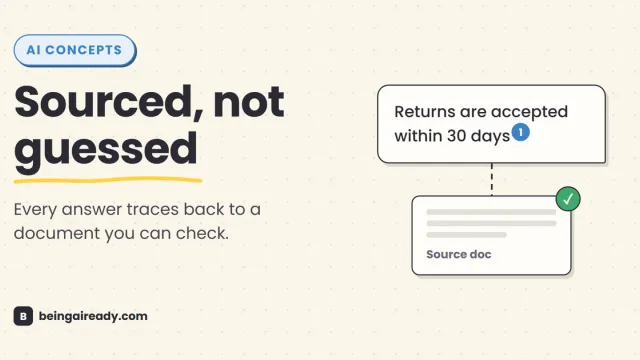
What Is RAG? Retrieval-Augmented Generation in Plain English
RAG is why some AI tools give a straight, sourced answer while others just guess with confidence. Here's what it is and how it works — without the jargon.

12 Best AI Tools for Teachers in 2026 (That Save Time)
A plain-English guide to the best AI tools for teachers in 2026: lesson planning, grading, quizzes, and admin. No jargon, just what works and where to start.