
Adobe Acrobat AI Assistant
Adobe's generative AI features built directly into Acrobat, letting users summarize, ask questions about, and generate outlines from PDFs inside the PDF software most businesses already use.
Visit website (opens in a new tab)Independent editorial listing. Features, pricing, and privacy terms can change; confirm details on the vendor site before buying or rolling out a tool.
What it does
Adobe Acrobat AI Assistant brings generative AI features — summarization, Q&A, and outline generation — directly into the PDF software many businesses already use for creating, editing, and signing documents. Rather than uploading a file to a separate third-party chat tool, users can ask questions about a document from within Acrobat itself, which appeals particularly to organizations that already have Adobe procurement, compliance, and IT approval in place. Its tradeoffs are layered, add-on-style pricing and less emphasis on multi-document cross-referencing compared with dedicated document-chat specialists.
Ideal users
- Organizations already standardized on Adobe Acrobat for PDF creation and editing
- Users who want document chat built into an existing, IT-approved tool rather than a separate third-party service
- Enterprise teams that need vendor-level data governance commitments rather than a smaller startup's policies
Who should avoid it
- You don't already use Acrobat and just want the cheapest possible way to chat with an occasional PDF
- You need multi-document cross-referencing as a core workflow — dedicated tools like Sharly AI or Humata are built more directly around that
- You want a single flat price — AI Assistant is typically an add-on to an existing Acrobat plan, or bundled in the newer Acrobat Studio tier
Key features
- Generative Summary — quick AI summaries of a PDF's content
- Generative Q&A — ask questions about an open document and get answers grounded in its text
- Generative Outline — AI-generated outline/structure of a document
- Built directly into the Acrobat interface used for editing, signing, and managing PDFs
- Enterprise data-governance options, including in-tenant processing on enterprise plans
Pros / Cons
Pros
- Integrated into a PDF tool many organizations already use and trust for document workflows
- Backed by Adobe's enterprise data-governance and compliance commitments
- No need to upload documents to a separate, unfamiliar third-party service
- Included by default in the newer Acrobat Studio tier for users who want AI Assistant without managing it as a separate add-on
Cons
- Pricing is layered — it's typically an add-on cost on top of an existing Acrobat subscription, which can be confusing
- Less specialized for cross-document analysis than dedicated document-chat tools
- Full value requires already being (or becoming) an Acrobat user, unlike standalone lightweight competitors
- AI processing has been reported as routed through third-party model providers (e.g. OpenAI, Anthropic), which is worth understanding for compliance-sensitive use
Pricing
Paid — $4.99/month (AI Assistant add-on, individual, annual billing), or included by default in the $24.99/month Acrobat Studio plan
AI Assistant is available as a low-cost add-on to existing Acrobat Standard, Pro, and Reader plans, at $4.99/month for individuals when billed annually ($7.99/month billed monthly); team and enterprise seats cost more per license and add admin console controls, SSO, and query audit logging. Acrobat Studio, Adobe's newer all-in-one tier, includes AI Assistant by default at $24.99/month for individuals and $29.99/month per license for teams. Confirmed directly against Adobe's pricing pages as of July 2026.
Typical workflows
- An employee at a company already using Acrobat for contracts opens a long agreement and uses Generative Q&A to check specific clauses without leaving the application they already use daily.
- A manager uses Generative Summary and Generative Outline to quickly get the gist of a long report before a meeting, without switching to a separate third-party chat tool.
Integrations
- Native integration within Acrobat desktop, web, and mobile apps
- Enterprise identity and admin controls consistent with existing Adobe enterprise deployments
Privacy & security notes
Adobe has published enterprise-focused commitments around AI Assistant's data governance, including an option for in-tenant processing on enterprise plans. Adobe states that AI Assistant's generative features are currently powered by Microsoft's Azure OpenAI Service, which is contractually prohibited from manually reviewing or training its models on Adobe customer content, across individual, team, and enterprise tiers; enterprise plans add further governance controls such as admin console management and audit logging.
Frequently asked questions
Do I need a separate Acrobat subscription to use AI Assistant?
Historically, yes — it has been sold as an add-on to existing Acrobat Standard, Pro, or Reader plans, though the newer Acrobat Studio tier includes it by default. Confirm current bundling on Adobe's site, as this has changed since launch.
Is Adobe Acrobat AI Assistant better for privacy than smaller PDF chat startups?
Adobe offers enterprise-level data governance commitments, including in-tenant processing options for enterprise customers, which can be preferable for regulated organizations. However, document content has been reported as routed through third-party model providers by default on non-enterprise tiers, so this should be verified against your organization's specific compliance requirements rather than assumed.
Can Acrobat AI Assistant analyze multiple documents at once?
It's primarily built around working with a single open document (summaries, Q&A, outlines) rather than cross-document synthesis; dedicated tools like Sharly AI or Humata are built more directly around multi-document analysis.
Is this worth it if I already pay for Acrobat?
If you already use Acrobat regularly for PDF work, adding AI Assistant avoids uploading documents to a separate third-party tool, which can be a meaningful advantage for organizations with existing Adobe trust and compliance relationships — weigh the add-on cost against how often you'd actually use the AI features.
Best alternatives
ChatPDF
FreeThe tool that popularized 'upload a PDF and chat with it' — a simple, no-signup-required way to ask questions about a single document.
PDF.ai
PaidA broader AI document tool that adds OCR for scanned files, document editing and conversion, and an API alongside its core chat-with-PDF feature.
Related tutorials
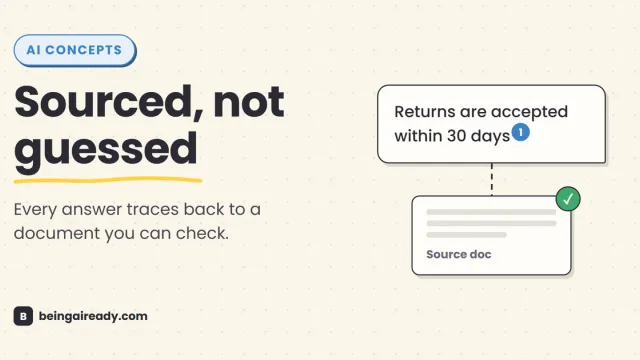
What Is RAG? Retrieval-Augmented Generation in Plain English
RAG is why some AI tools give a straight, sourced answer while others just guess with confidence. Here's what it is and how it works — without the jargon.
12 Best AI Tools for Teachers in 2026 (That Save Time)
A plain-English guide to the best AI tools for teachers in 2026: lesson planning, grading, quizzes, and admin. No jargon, just what works and where to start.