
Figma
The industry-standard collaborative interface design tool, now layering AI directly onto its existing canvas through First Draft, Figma Make, and the newer Figma Agent.
Visit website (opens in a new tab)Independent editorial listing. Features, pricing, and privacy terms can change; confirm details on the vendor site before buying or rolling out a tool.
What it does
Figma is the collaborative interface design tool most product teams already use for UI/UX work, and its AI features are built to extend that existing canvas rather than replace it. First Draft and Figma Make turn a text prompt into an editable starting layout, while the newer Figma Agent — in beta since May 2026 — can work more like a collaborator inside a file, building and adjusting frames using a team’s existing components, variables, and styles.
Because everything happens inside the same file used for design review, prototyping, and developer handoff through Dev Mode, Figma’s AI output stays connected to the rest of a team’s workflow instead of living in a separate tool. That makes Figma the natural choice for teams already standardized on it, though its AI features sit behind paid seats and a credit system, and are less immediately approachable for someone who has never used Figma at all.
Ideal users
- Teams already designing UI/UX in Figma who want AI to speed up first drafts and repetitive edits
- Product teams that need AI generation to stay inside the same file used for developer handoff
- Organizations with an existing design system that AI features can pull components and styles from
- Developers who want structured design context (via Dev Mode or the Figma MCP server) for AI coding assistants
Who should avoid it
- You're a non-designer who wants the simplest possible prompt-to-UI tool — Uizard or Visily have a gentler learning curve
- You don't want to pay for a Professional-tier seat just to unlock AI credits and Figma Make
- You want AI content training off by default — on Starter and Professional plans it's opt-out, not opt-in
Key features
- First Draft, which turns a prompt into an editable wireframe or design in minutes
- Figma Make, a text-to-UI-screen generator with access to your team's component libraries
- Figma Agent (beta as of mid-2026), which builds and edits frames directly on the canvas like a collaborator
- Dev Mode and the Figma MCP server for handing structured design context to AI coding assistants
- A shared AI-credit system across Professional, Organization, and Enterprise seats
Pros / Cons
Pros
- AI output lands directly in the same file used for design, collaboration, and dev handoff
- Generation can draw on your team's existing components, variables, and styles rather than starting generic
- Figma Agent is free during its beta period
- Huge existing plugin and template ecosystem carries over unchanged
Cons
- AI features require at least a Professional Full seat, not the free Starter plan
- Credit-based usage means heavy AI use can run out before the billing period resets
- Automatically opts Starter and Professional accounts into AI content training unless you manually opt out
- Steeper learning curve than prompt-first tools if you're new to Figma itself
Pricing
Free — Free (Starter); Professional Full seats with AI features run about $16–$20/editor/month
Starter is free with a small daily AI-credit allowance. Professional seats vary by access level — roughly $3/user/month for Collab, $12/user/month for Dev, and $16/user/month for a Full seat (annual pricing; monthly billing runs higher, around $20 for a Full seat), which includes about 3,000 AI credits/month and unlocks Figma Make. Organization and Enterprise plans (billed annually only) cost more per seat and include larger AI-credit pools. Figma Agent is free while in beta; expect it to draw on the same credit pool once it reaches general availability.
Typical workflows
- A product designer starts a new feature with First Draft or Figma Make to get an initial layout from a prompt, then refines it manually using the team's existing components and design system.
- A team runs Figma Agent (beta) to apply a consistent change — like a new spacing scale — across many screens at once, then hands the file to developers through Dev Mode or the Figma MCP server.
Integrations
- Figma's plugin ecosystem and Community templates
- Dev Mode and the Figma MCP server, for passing design context to AI coding assistants
- FigJam for whiteboarding and early ideation alongside design files
Privacy & security notes
Figma automatically opts Starter and Professional accounts into using design content for AI training; Organization and Enterprise accounts are excluded by default. Anyone can manually turn off AI content training separately from AI features themselves, but the toggle lives in team-level settings rather than account preferences, so check it directly if you handle confidential or client design work.
Frequently asked questions
Is Figma's AI free to use?
Only in a limited way. The free Starter plan includes a small daily AI-credit allowance, but the full feature set — First Draft, Figma Make, and a larger credit pool — requires at least a Professional Full seat. Figma Agent is free during its beta period as of mid-2026, though that's expected to change once it leaves beta.
What's the difference between First Draft, Figma Make, and Figma Agent?
First Draft and Figma Make both turn a prompt into an initial UI layout, with Figma Make positioned as the more capable, library-aware version. Figma Agent, in beta since May 2026, goes further by acting inside an existing file like a collaborator — building and editing frames on the canvas using your established variables, styles, and components rather than only generating a fresh draft.
Does Figma train its AI on my designs?
By default, yes, on Starter and Professional plans — Figma opted all accounts on those tiers into AI content training without an explicit consent step. Organization and Enterprise accounts are excluded by default. Anyone can opt out manually through team settings, and AI content training can be toggled independently of whether you use Figma's AI features at all.
Do I need to use Figma's AI features to use Figma normally?
No. Figma's core design, prototyping, and collaboration tools work exactly as before; AI features like First Draft, Make, and Agent are additive and can be ignored entirely if you'd rather design by hand.
Best alternatives
Uizard
FreeA prompt-first AI UI design tool built for non-designers, turning text prompts, screenshots, or hand-drawn sketches into editable multi-screen mockups.
Visily
FreeA free-forever AI wireframing and UI design tool for non-designers, combining text-to-UI generation, screenshot conversion, diagramming, and two-way Figma handoff in one canvas.
Related tutorials
How to Choose the Right AI Tool: A Buyer's Framework
A calm, no-hype framework for choosing the right AI tool for any task: define the job, judge the real criteria, run a cheap trial, and avoid costly switching.
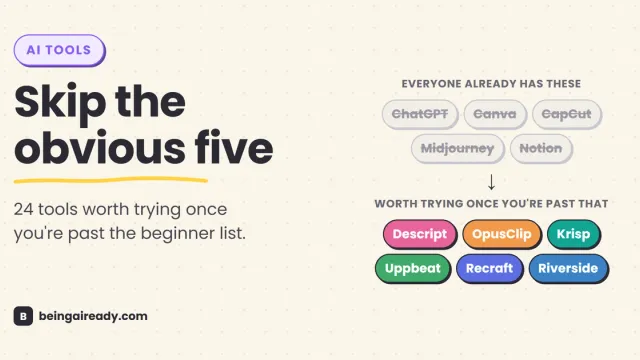
24 Underrated AI Tools for Content Creators in 2026
Skip the five AI tools every list recommends. Here are 24 lesser-known ones solo creators actually use, organized by where they fit your workflow.