
24 Underrated AI Tools for Content Creators in 2026
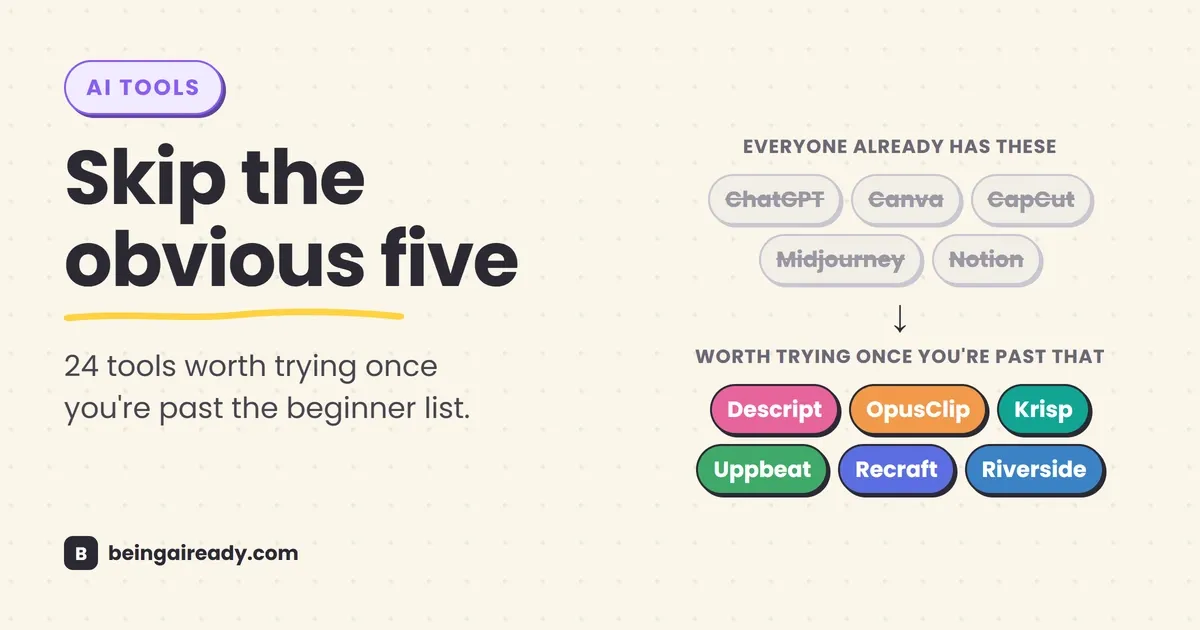
Type “best AI tools for content creators” into Google and you’ll get the same five names back, every time: ChatGPT, Canva, CapCut, Midjourney, Notion. They’re solid tools. They’re also the tools every single creator in your niche already has open in another tab, which means they can’t be the thing that makes your channel look different from the next one.
The tools that actually save people hours rarely make it onto those lists, because they don’t have the marketing budget of the big five. They spread the old-fashioned way: a creator mentions one in a Discord server, someone tries it, it quietly becomes part of their weekly workflow, and nobody writes a listicle about it.
This is that list. Twenty-four tools, organized by the actual stage of making something, from staring at a blank page to checking whether last week’s video actually worked. Some are genuinely free. A few cost less than a coffee subscription. None of them are ChatGPT.
Quick answer: Skip the five AI tools every list names — ChatGPT, Canva, CapCut, Midjourney, Notion — because every creator in your niche already has them open. This is a working list of 24 lesser-known tools, organized by the stage of making something: ideas and scripts, recording and editing, repurposing long video into clips, captions, audio cleanup, thumbnails, and checking what actually worked. Several are genuinely free; the paid ones mostly cost less than a coffee subscription.
The list at a glance
| Stage | Tool | What it actually does | Free to start? |
|---|---|---|---|
| Ideas & scripts | Syllaby | Plans and scripts video content around your niche | Trial only |
| Ideas & scripts | Castmagic | Turns a recorded conversation into written content | Trial only |
| Ideas & scripts | Perplexity | Research with visible, checkable sources | Yes, solid free tier |
| Record & edit | Riverside | Records remote interviews in studio quality | Yes, limited |
| Record & edit | Descript | Edits video by editing the transcript | Yes, genuinely usable |
| Record & edit | BigVu | Teleprompter, recorder, and captioner in one app | Yes, with watermark |
| Repurposing | OpusClip | Finds and scores the best clips in a long video | Yes, limited exports |
| Repurposing | Vizard | Same idea as OpusClip, built for speed | Yes, limited exports |
| Repurposing | Klap | Newer auto-clipper, worth a side-by-side test | Yes, limited exports |
| Captions | Submagic | Animated, short-form-native captions | Trial only |
| Captions | Reap | Captions plus reframing, dubbing, and scheduling | Trial only |
| Captions | Quso | Deliberately simple one-click captions | Yes, limited |
| Audio | Adobe Podcast | Cleans up a badly recorded voice track | Yes, free |
| Audio | Krisp | Cancels background noise live, during recording | Yes, limited minutes |
| Audio | LALAL.AI | Separates vocals from music and noise | Yes, limited minutes |
| Music | Soundraw | Generates a custom instrumental by mood | Trial only |
| Music | Uppbeat | Curated, actually-free creator music library | Yes, genuinely free |
| Music | Mubert | Mood-based ambient and background tracks | Yes, limited |
| Thumbnails | Recraft | Brand-consistent AI image and vector generation | Yes, limited credits |
| Thumbnails | Cleanup.pictures | Brushes unwanted objects out of a photo | Yes, limited |
| Thumbnails | Khroma | Learns your taste and builds color palettes | Yes, free |
| Grow | vidIQ | YouTube keyword research and thumbnail testing | Yes, limited |
| Grow | Metricool | Scheduling and analytics across platforms | Yes, limited |
| Grow | Buffer | The simplest scheduler that still gets the job done | Yes, limited |
Now the actual detail, because a table doesn’t tell you which of these is worth your first ten dollars.
Start with the idea, not the blank page
The first hour of making anything is usually the hardest — not because the work is hard, but because there’s nothing on the page yet. These three tools exist to get you past that specific hour.
Syllaby
Syllaby scripts and plans video content around your specific niche instead of handing you a generic template. You feed it a topic or a channel direction, and it gives you an outline or a full script draft to react to. The honest tradeoff: it’s a starting point, not a finished product. If you paste its output straight into a teleprompter without adding your own jokes, opinions, and phrasing, it’ll sound like every other AI-scripted channel — flat and interchangeable.
Castmagic
Castmagic takes something you’ve already recorded — a voice memo, a podcast episode, a rambling voice note where you talked through an idea in the car — and turns it into structured written content: show notes, a blog draft, a set of social posts. It’s built for people who think out loud better than they type. Record the thought once, get five pieces of content out of it instead of one.
Perplexity
Most people use Perplexity as a faster search engine, which undersells it. What actually matters for research is that it shows its sources, so you can click through and verify a claim instead of taking a chatbot’s word for it. If you’re scripting anything that involves facts, numbers, or “here’s how this works” explanations, that source trail is the difference between content you can stand behind and content you’ll have to quietly delete later.
Record and edit without a production crew
You don’t need a studio. You need a laptop mic that doesn’t sound like a laptop mic, and an editor that doesn’t require a film degree.
Riverside
Riverside records each person’s audio and video locally on their own device, then uploads it afterward, instead of streaming everything live like a video call. That one design choice is why a Riverside interview doesn’t have the choppy, pixelated quality of a Zoom recording — nobody’s connection is dragging down anybody else’s footage. Worth it the moment you start interviewing guests remotely; overkill if you only ever film yourself.
Descript
Descript edits video and audio by editing a text transcript — delete a sentence from the document, and the matching footage gets cut automatically. Its filler-word removal strips every “um” and “uh” in one pass, and Studio Sound cleans up room echo and background hiss without you touching a single audio knob. The feature people sleep on is Overdub: if you flub a line, you can literally type the corrected sentence and it generates the fix in your own cloned voice, so you don’t re-record the whole take over one mistake. It has a real free tier, with paid plans that have landed in the roughly $12–24 a month range through 2026.
BigVu
BigVu bundles a teleprompter, a recorder, basic editing, captioning, and scheduling into a single app, aimed at people who record on their phone and don’t want to juggle five separate apps to get from “idea” to “posted.” The free version watermarks your videos, which is fine for testing but not for anything you’re publishing seriously — budget for the paid tier once you commit to it.
Turn one long recording into a week of shorts
Repurposing is the single highest-leverage habit in content creation right now, because it takes the same hour of filming and gets five to seven pieces of content out of it instead of one.
OpusClip
OpusClip scans a long video, identifies the moments most likely to perform as standalone clips, scores them, and reformats them for vertical platforms with captions baked in. It’s the category leader for a reason, and it’s the first tool worth trying if you sit on hours of podcast or webinar footage you’ve never touched.
Vizard
Vizard does roughly the same job as OpusClip, with a reputation for faster turnaround. If OpusClip’s processing queue is the bottleneck in your week, Vizard is the obvious tool to test against it — same job, different tradeoff between speed and clip-selection polish.
Klap
Klap is the newer name in this category, and it’s worth a side-by-side trial against the two above rather than a blind pick. Auto-clipping tools change quickly, and this is one corner of the market where “newest” sometimes means “currently best,” at least until the next update.
One honest caveat that applies to all three: AI clip-finders get you roughly seventy to eighty percent of the way to a finished short. The clips it flags are candidates, not final cuts — you’ll still re-trim, rewrite a weak hook, or swap the opening line more often than the marketing pages let on. Budget that remaining twenty percent into your week instead of expecting a fully automated pipeline.
Add captions people can actually read
Captions stopped being an accessibility nice-to-have and became the main event. Research from the accessibility group AbilityNet puts the share of video watched with the sound completely off as high as 85 percent — which means your caption styling is doing more work than your voiceover on most viewers’ screens.
Submagic
Submagic is built specifically for the punchy, animated caption style that short-form platforms reward — words popping in sync with speech, emphasis on key phrases. It’s become something of a default among creators who publish daily Shorts or Reels.
Reap
Reap treats captions as one piece of a bigger job. Alongside captioning, it handles reframing footage for different aspect ratios, translating and dubbing into other languages, and scheduling the finished clips — useful if you’re trying to collapse four separate tools into one subscription rather than optimizing captions in isolation.
Quso
Quso is the deliberately simple option: upload a clip, get captions, done. No reframing, no scheduling, no multilingual dubbing. If Reap or Submagic feel like more platform than you need, Quso is the “just the one thing” alternative.
Make bad audio sound like a studio recording
Bad audio is the single fastest way to lose a viewer — people forgive shaky footage far more easily than they forgive audio they have to strain to hear. These three solve three genuinely different problems, and it’s worth knowing which is which.
Adobe Podcast
Adobe Podcast’s Enhance Speech tool fixes audio after the fact — feed it a recording made in an echo-y bedroom or through a laptop mic, and it reconstructs something close to studio quality. It’s free, with no subscription required for the core tool, which makes it the easiest single upgrade on this entire list.
Krisp
Krisp works the opposite direction: it cancels background noise live, while you’re recording or on a call, rather than cleaning it up afterward. If you’ve ever had a client call ruined by a neighbor’s leaf blower or a barking dog, this is the tool that prevents that moment instead of patching it after the damage is done.
LALAL.AI
LALAL.AI separates the layers inside an existing audio file — pulling vocals apart from music, or isolating dialogue from ambient noise. It’s the tool for a specific, less common problem: you have one messy track and need to split it into clean pieces, whether that’s for a remix, a podcast clip with music bleeding through, or salvaging dialogue from a recording with a TV on in the background.
The short version: Adobe Podcast fixes a recording you already made, Krisp prevents the problem while you’re recording, and LALAL.AI untangles layers within a track you can’t re-record.
Get music that won’t get your video muted
Using a song you don’t have rights to isn’t a legal abstraction — platforms run automated audio matching, and a flagged track gets your video muted, demonetized, or pulled with zero warning. Royalty-free doesn’t mean lower quality anymore; it means cleared for use.
Soundraw
Soundraw generates a custom instrumental based on mood, genre, and length, and lets you regenerate variations until one actually fits the cut instead of settling for whatever stock track was closest. Good for creators who are tired of hearing the same three “upbeat corporate” tracks on every other channel in their niche.
Uppbeat
Uppbeat isn’t AI-generated — it’s a curated music library built specifically for creators, with a genuinely free tier (attribution required) and a simple credit system that clears each track for monetized use on YouTube. If you want the cheapest possible starting point for background music, this is it.
Mubert
Mubert generates mood-based ambient and background music, better suited to a continuous B-roll sequence or a montage than a track with a clear beginning, middle, and end. Reach for Soundraw when you need something that feels like a song; reach for Mubert when you need something that just needs to not be silence.
Design thumbnails and graphics without a design degree
A video that ranks first for its target keyword with a 2% click-through rate will still be outperformed by a video with an 8% click-through rate by roughly four times the total views. Same ranking. Four times the results. The thumbnail is doing that work, not the algorithm.
Recraft
Recraft generates images and vector graphics with an emphasis on staying visually consistent across a set — meaning your thumbnails for episode 12 and episode 47 of the same series can actually look like they belong to the same show, instead of each one looking like a different designer made it.
Cleanup.pictures
Cleanup.pictures does one thing: brush over an object, person, or watermark in a photo, and it disappears convincingly. No layers, no masking, no Photoshop learning curve — genuinely useful the first time you need to remove a stranger from the background of an otherwise perfect shot.
Khroma
Khroma asks you to pick colors you like and colors you don’t, learns your taste, and then generates palettes built around it. It solves a real, specific problem for non-designers: most people can recognize when colors clash but can’t reliably generate combinations that don’t. This automates the part of design that actually requires a trained eye.
Schedule, publish, and actually track what’s working
Making the content is half the job. Knowing whether it worked, and getting it in front of people consistently, is the other half — and it’s the half most creators quietly neglect.
vidIQ
vidIQ is YouTube-specific: keyword research, competitor tracking, and thumbnail testing, all built to answer one question before you spend a weekend filming — does anyone actually search for this? Skipping that question is how channels end up with technically well-made videos that nobody finds.
Metricool
Metricool schedules posts and tracks analytics across multiple platforms from one dashboard, which matters the moment you’re posting to more than just YouTube. If you’re managing Instagram, TikTok, and YouTube separately, this is the tool that collapses three open tabs into one.
Buffer
Buffer is the simplest scheduler on this list, and that’s the entire pitch. Write the post, pick the time, done — no analytics rabbit hole, no feature bloat. The right choice for someone who wants consistency without a learning curve.
How to build your stack without wasting money
Don’t buy all twenty-four of these. That’s not a wellness platitude, it’s math — the creator economy’s tooling market crossed roughly 32 billion dollars in 2024 and is projected to keep growing at a double-digit rate through the decade, according to Grand View Research’s estimates, which means new “must-have” tools will keep showing up in your feed every single month. Chasing all of them is a full-time job that isn’t making content.
Pick the one bottleneck that’s actually costing you the most hours this month, and solve that first. Picture the classic solo creator: filming on a phone after work, editing at eleven at night before bed. For that person, the highest-leverage first purchase usually isn’t a fancier camera or a more powerful editor — it’s a repurposing tool like OpusClip, because turning one recording session into five days of clips buys back more hours than better gear ever will.
If you’re posting less than twice a week, skip repurposing tools entirely for now. The time you’d spend learning an auto-clipper’s interface is better spent just editing one more short by hand — the tool only pays for itself once you have enough raw footage sitting around that manual clipping becomes the bottleneck.
Build a completely free starter stack before you pay for anything: Perplexity for research, Adobe Podcast for audio, Uppbeat for music, Descript’s free tier for editing, and Buffer’s free tier for scheduling. That covers five of the eight stages above at zero cost. Add a paid tool only once a free tier’s actual limit — not its marketing page — is the thing slowing you down.
Frequently asked questions
What's the difference between a repurposing tool and a captioning tool?
A repurposing tool like OpusClip decides which fifteen seconds of a forty-minute video are worth cutting into a standalone clip. A captioning tool like Submagic adds readable text to a clip you already have. Some tools, like Reap, do both jobs in one workspace -- but they're solving genuinely different problems, and knowing which one you need saves you from buying the wrong subscription.
Do I need to pay for AI tools when I'm just starting out?
No. Perplexity, Adobe Podcast, Uppbeat, Descript's free tier, and Buffer's free tier cover research, audio cleanup, music, editing, and scheduling without a single payment. Most creators don't hit the limits of that free stack until they're publishing several times a week.
Will using AI tools make my content look generic, like everyone else's?
It will, if you let the AI make the creative calls -- writing your jokes, picking your opinions, designing your thumbnail concept from scratch. Almost everything on this list automates production work instead: removing background noise, finding clip timestamps, cleaning up a transcript. Production automation doesn't flatten your voice. Creative automation does.
If I can only afford one paid tool, which one should it be?
Descript. For roughly twelve to twenty-four dollars a month, it touches editing, audio cleanup, and basic repurposing in a single subscription, which covers more of the workflow than any other single tool on this list.
Are the free tiers here actually usable, or just bait to get you to upgrade?
Genuinely mixed, and worth knowing which is which before you commit. Adobe Podcast and Uppbeat are free with no meaningful catch. Descript, Krisp, and LALAL.AI have real free tiers that work fine at low volume but hit limits once you're producing daily. BigVu's free tier watermarks every export, which makes it a testing tool, not a publishing one -- budget for the paid plan the moment you're ready to post for real.
Related articles
The Chrome Extensions Actually Worth Installing in 2026
Every 'best extensions' list recommends the same five tools. Here are 32 underrated Chrome extensions organized by profession, from students to job seekers.
Best AI Coding Assistants for Beginners in 2026
A practical comparison of the best AI coding assistants for beginners, including GitHub Copilot, Replit, Cursor, Antigravity, Amazon Q, and JetBrains AI.
Best AI Meeting Assistants in 2026 (Ranked & Compared)
The best AI meeting assistants in 2026, ranked by notes, integrations, workflow automation, value, privacy controls, and fit for real teams.