
Presentations.AI
An AI presentation platform that structures decks by purpose — investor pitch, sales deck, or board update — and connects to live data from Salesforce, HubSpot, and Tableau.
Visit website (opens in a new tab)Independent editorial listing. Features, pricing, and privacy terms can change; confirm details on the vendor site before buying or rolling out a tool.
What it does
Presentations.AI generates decks from a topic, document, or data source and, unlike most competitors, keeps them current afterward: once connected to a CRM or BI tool such as Salesforce, HubSpot, or Tableau, a deck can refresh automatically on a schedule as the underlying numbers change, instead of being manually rebuilt before every meeting. It also adjusts how it structures a deck based on stated purpose — an investor pitch, a sales deck, and a board update get different sequencing and framing from the same underlying data. That combination of live data and purpose-aware structure makes it best suited to teams producing similar high-stakes decks repeatedly, rather than a single one-off pitch.
Ideal users
- Teams that need investor, sales, and board decks to stay current with live CRM or BI data instead of being manually updated
- RevOps or sales teams generating similar client proposals repeatedly from the same underlying data sources
- Founders or executives who send recurring board or investor updates and want the deck to refresh automatically
- Teams that want brand-matched decks pulled automatically from their company website rather than a manually maintained template
Who should avoid it
- You don't need live data connections — a simpler generator like Alai or Gamma is enough for a one-off, hand-edited deck
- You need deal-closing features like e-signature or payment collection built into the deck — Storydoc covers that; Presentations.AI is a generation and data-refresh tool
- Your data sources aren't among the supported integrations — confirmed sources include Salesforce, HubSpot, Google Sheets, Tableau, Looker, Databox, Mixpanel, PostgreSQL, MySQL, and Snowflake, plus 50+ others presentations.ai doesn't fully enumerate publicly, so check directly with them for anything more specialized
Key features
- Brand Sync pulls logo, fonts, and colors automatically from a company's website URL
- Live data connections to 50+ sources including Salesforce, HubSpot, Tableau, Looker, Google Sheets, and PostgreSQL
- Scheduled auto-refresh of decks (daily, weekly, or monthly) when connected data changes
- Purpose-aware structuring — the AI sequences a deck differently for an investor pitch, a sales deck, or a board presentation
- Export to fully editable native PowerPoint (.pptx) files
Pros / Cons
Pros
- Live data connections and scheduled refresh are unusual in this category and save real time on recurring decks (board updates, QBRs)
- Brand Sync removes manual template setup for a first draft
- Purpose-aware sequencing means the same platform can serve fundraising, sales, and internal reporting use cases
- Exports to fully editable PowerPoint rather than a locked proprietary format
Cons
- Broader in scope than the fundraising- or sales-specific tools in this category, so it's less deeply specialized in any one use case
- Credit-based pricing on Pro and Gold tiers can get expensive for teams generating many data-refreshed decks
- Setting up live data connections requires more initial configuration than a prompt-only generator
- Live data connections and scheduled refresh are limited to the Gold tier ($100/month) — the free Starter and $20/month Pro tiers don't include them
Pricing
Free — $20/month (Pro plan)
Confirmed on presentations.ai/pricing: Starter is free (100 credits/year, no card required). Pro is $20/month ($240 billed annually; 5,000 credits/year, PowerPoint/PDF export, analytics). Gold is $100/month ($1,200 billed annually; 50,000 credits/year, frontier AI models, and the live-data connections and scheduled refresh described above). Live data connections are a Gold-only feature and aren't available on Starter or Pro.
Typical workflows
- A RevOps team connects Presentations.AI to Salesforce and HubSpot so that every client proposal deck pulls current deal and usage data automatically, instead of a rep manually copying numbers from the CRM.
- A startup connects its finance and product-usage data sources so its monthly investor update deck regenerates automatically each month with current metrics, rather than being rebuilt by hand.
Integrations
- Salesforce, HubSpot (CRM)
- Tableau, Looker (BI)
- Google Sheets, PostgreSQL, and other data sources
- Export to native PowerPoint (.pptx)
Privacy & security notes
Presentations.AI's privacy policy allows use of personal information for 'research and development ... to analyze and improve the Service' and to build 'aggregated, de-identified' datasets.
Frequently asked questions
What makes Presentations.AI different from a general AI presentation maker?
Its live connections to CRM and BI tools let a deck auto-refresh with current data on a schedule, and it structures content differently depending on whether the deck is an investor pitch, a sales deck, or a board update.
Do I need to reconnect my data every time I want an updated deck?
No — once a data source is connected, decks can refresh automatically on a daily, weekly, or monthly schedule rather than needing to be regenerated manually.
Can I edit the exported deck outside Presentations.AI?
Yes, decks export as native, fully editable PowerPoint files rather than a locked proprietary format.
Is this better for investor decks or sales decks?
It's built to serve both, along with board updates, by sequencing content differently for each purpose rather than specializing in just one.
Best alternatives
Alai
FreeAI presentation design tool trained specifically on pitch decks, with pitch-relevant layouts (traction timelines, competitive matrices, TAM pyramids), engagement analytics, and an API for pulling in live traction data.
Storydoc
PaidAn AI-native tool for interactive, narrative-driven sales and pitch content — closer to a trackable microsite than slides — with CRM, e-signature, and payments built in.
Related tutorials
How to Choose the Right AI Tool: A Buyer's Framework
A calm, no-hype framework for choosing the right AI tool for any task: define the job, judge the real criteria, run a cheap trial, and avoid costly switching.
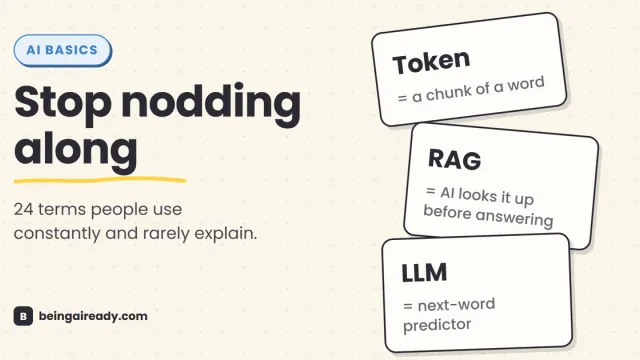
AI Terms Explained: A Plain-English Glossary of 24 Words
The 24 AI terms everyone uses but nobody defines — LLM, tokens, RAG, agents and more — explained in plain English, with analogies that actually stick.